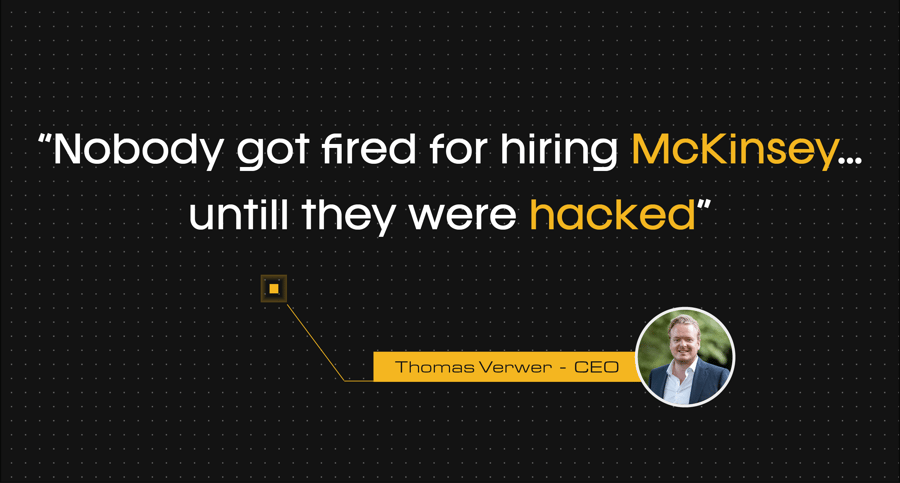
From a seasoned advisor supporting a municipality on a supervisory board to a non-executive director at a major retailer, none of them dares to stick their necks out. They chose the safe party.
Until McKinsey itself got hacked. You know, that firm with the heavyweight letterhead from the US.
The consultancy that tells the world’s largest companies how to deal with AI had built its own internal AI environment. A kind of playground where all employees could build their own AI agents.
The hack revolved around Lilli, McKinsey’s internal AI platform, widely used since 2023, 72% of their employees were working with it. At the end of February this year, an autonomous offensive AI agent tested the platform and discovered more than 200 publicly accessible API endpoints, 22 of which were exposed without authentication. Through an SQL injection, not in the classic input value, but in the field name, the system was compromised. Ironically, SQL injection is not a new trick from the AI era. It has existed since the late ’90s.
Suddenly, my one-liner took on a completely different meaning. Because what went wrong at McKinsey is not an isolated incident. At Nedscaper, we’re now supporting the first companies in the Netherlands that are just as ambitious, building their own autonomous AI platforms across the business. Securing that is exactly what we’re here for, together with Microsoft and partners like HSO and PwC.
But let’s not focus solely on the few percent of companies that are truly leading the charge
Most companies in the Netherlands are currently at what I’ll loosely call “level one” of their AI pivot. You’re exploring what working with AI assistants can mean. You enter prompts, and AI executes them, for example, in Copilot, which integrates seamlessly into Office 365, email, and documents.
Employees within these organizations ask for things like a summary of a meeting, an analysis of a spreadsheet, or a draft email. Sounds harmless, and to a certain extent, it is. At this “level one,” AI simply executes what it is prompted to do. Risks do exist, but everything starts with the foundation: your internal data. That’s what Copilot runs on and feeds itself with. As long as your data structure and access rights are properly organized, alarm bells don’t need to go off in most cases.
But unfortunately, they often aren’t. And that can have major consequences.
Take this example: an administrative employee asks Copilot, “Give me all payslips and HR meeting notes.” If the folder structure and access rights aren’t set up correctly, Copilot will simply provide them. Copilot does exactly what the employee asks; it doesn’t hit a wall anywhere. We call this principle “data oversharing.” The risk isn’t AI, it’s the mess in your permissions structure.
From data oversharing to data labelling
This problem is as old as time. In the past, we already had to think about folder structures and access rights on department drives. The difference? What used to take hours of searching is now exposed by Copilot with a single prompt. The solution isn’t sexy, but it’s essential: data labelling. With a product like Microsoft Purview, you can classify documents with levels such as “public,” “confidential,” or “strictly confidential.” If those payslips aren’t labelled “strictly confidential” and the permissions on the HR folder aren’t properly locked down, anyone can access them. Even without AI, by the way. The assistant simply exposes a problem that has existed for a long time.
By strengthening that structure, you significantly reduce the risk of a data breach. But we’re not there yet. Because with AI assistants, you’re still giving the command. What we saw at McKinsey involved autonomous AI agents. And that makes a big difference.
When the agent starts thinking for itself, the playing field changes
Autonomous AI agents are what I’ll call “level two” of AI maturity. Agents no longer just execute what you ask; they make decisions themselves, generate login tokens, and act independently. Think of it as an employee who has access to everything, works around the clock, but doesn’t report to a manager in the way a normal employee would.
I’m already seeing this in practice. A large Dutch organisation with 20,000 employees now has around 10,000 agents. At Nedscaper, we now have more agents than employees. And even we are sometimes surprised, who built this agent again? The risk is that with these numbers, things quickly spiral out of control. No one knows who built which agent, what it does, or what data it can access. So how do you maintain visibility? I always advise monitoring your AI agents just like you monitor your employees.
The same logic, almost no one applies it
We monitor every employee across our customers’ organizations. Every day. We see where someone logs in, what actions they take, and whether that aligns with their normal pattern. Does someone from finance suddenly log in from Brussels when they were in Amsterdam an hour earlier? That’s a red flag. We act immediately to understand why this behavior deviates.
Now here’s the problem: almost no one does this for agents. Even though agents work in the same way, they have their own accounts, tokens, and temporary credentials. With those, they can log in and take action. But no one is tracking whether an agent suddenly does something it wasn’t designed for, simply because its internal logic determines that’s the direction it should go.
Microsoft is currently working hard on solutions to make this increasingly visible. This means that, alongside your employees, you can also monitor your AI agents effectively. With Microsoft Agent 365, your organization gets a single control panel for all AI agents: who built them, what they do, and what they can access. Which cost centre does this group of agents belong to? If I need to place these agents in the organizational chart, which department do they sit in? That helps, because then you know who takes ownership as the manager and under which budget owner it falls. With Microsoft Defender, you keep those same agents under control for anomalous behaviour, with deeper logging to maintain visibility over Shadow AI. Combine that with other existing Microsoft Defender solutions, such as Defender for Cloud Apps and the increasingly mature SASE solution, Microsoft Entra Internet Access. This gives you real-time visibility into whether employees are attempting to use external AI tools such as Grok, ChatGPT, or DeepSeek with sensitive company data.
But even if you don’t yet have the most advanced tooling, sticking your head in the sand is not an option. You need to start thinking about the questions most companies are not yet asking: what are my agents allowed to do, and what are they absolutely not allowed to do? Start with these questions, and you’re already several steps ahead.
Your organization is growing, even if you’re not hiring
This is the core of the story, and it’s something I really want to leave you with as an executive. As a leader, you are responsible for your organization. You know how many people are on your payroll. You have an organizational chart.
But if tomorrow, twenty departments each build five agents, you instantly have one hundred digital employees. They log into systems, process data, create documents, and report to no one. No contract, no manager, no offboarding process when they’re no longer needed. This is not something you want to stop; this is something you want to monitor with the right guardrails and visibility. So you don’t lose control, while still maximizing the value of AI.
You don’t need to start by creating a complex three-year strategy. Start simple: just count.
How many agents are currently running in my organization?
Who owns them?
What data can they access?
Only once you know that can you steer effectively.
And if you already have a Microsoft E5 licence and are seriously working with Copilot and agents, take a look at the E7 suite. It brings together the security tools you need to manage this landscape, not as separate components, but as an integrated whole.
Foot on the gas, but hands firmly on the wheel
Do you want to get started with managing your AI agents? Begin. Start small. And make sure you have someone you can call when things get complex. Someone who thinks alongside you and looks behind the scenes.
That’s ultimately what makes the difference between an organization that stays in control and one that only realises there’s a problem when it’s too late.